
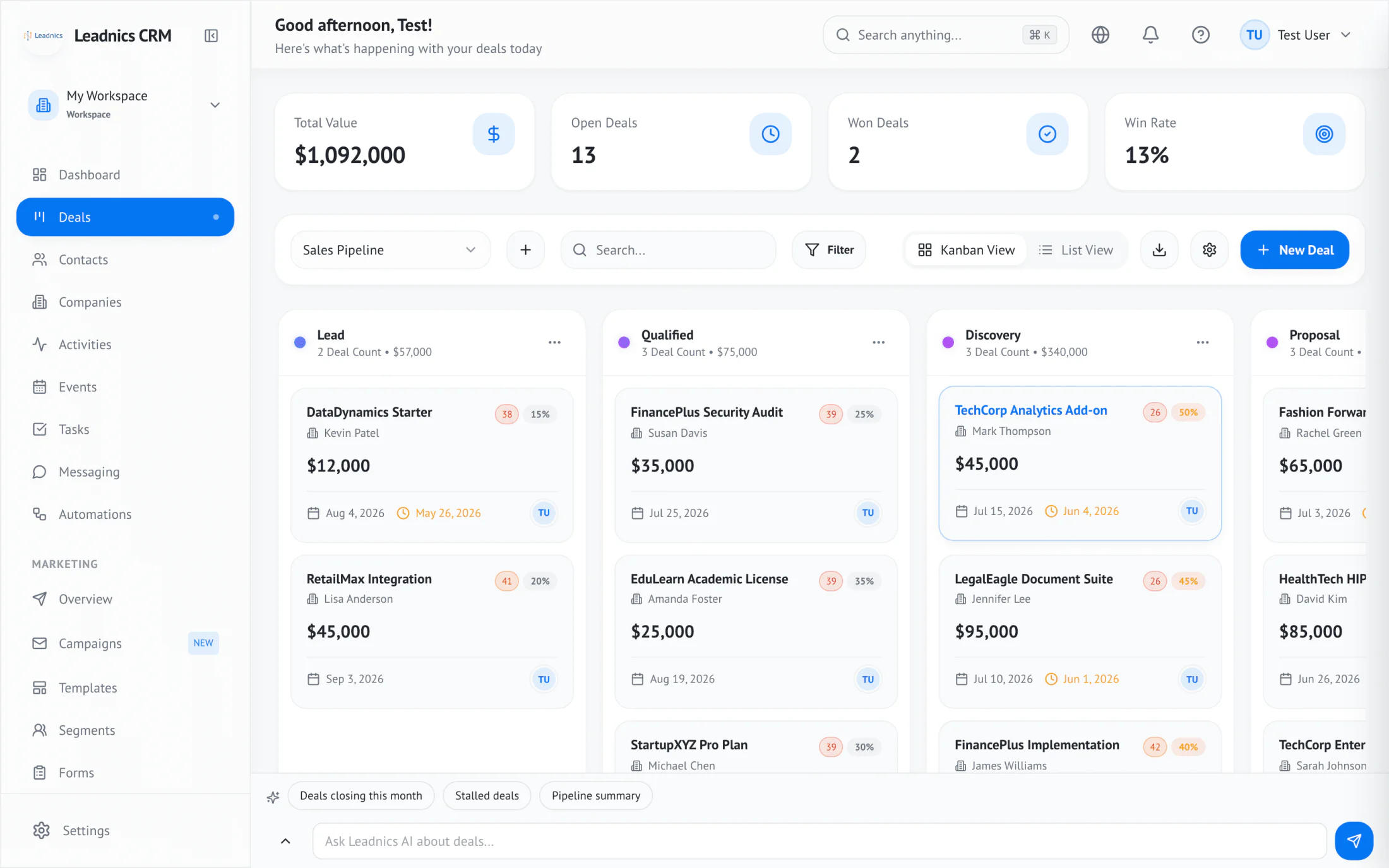
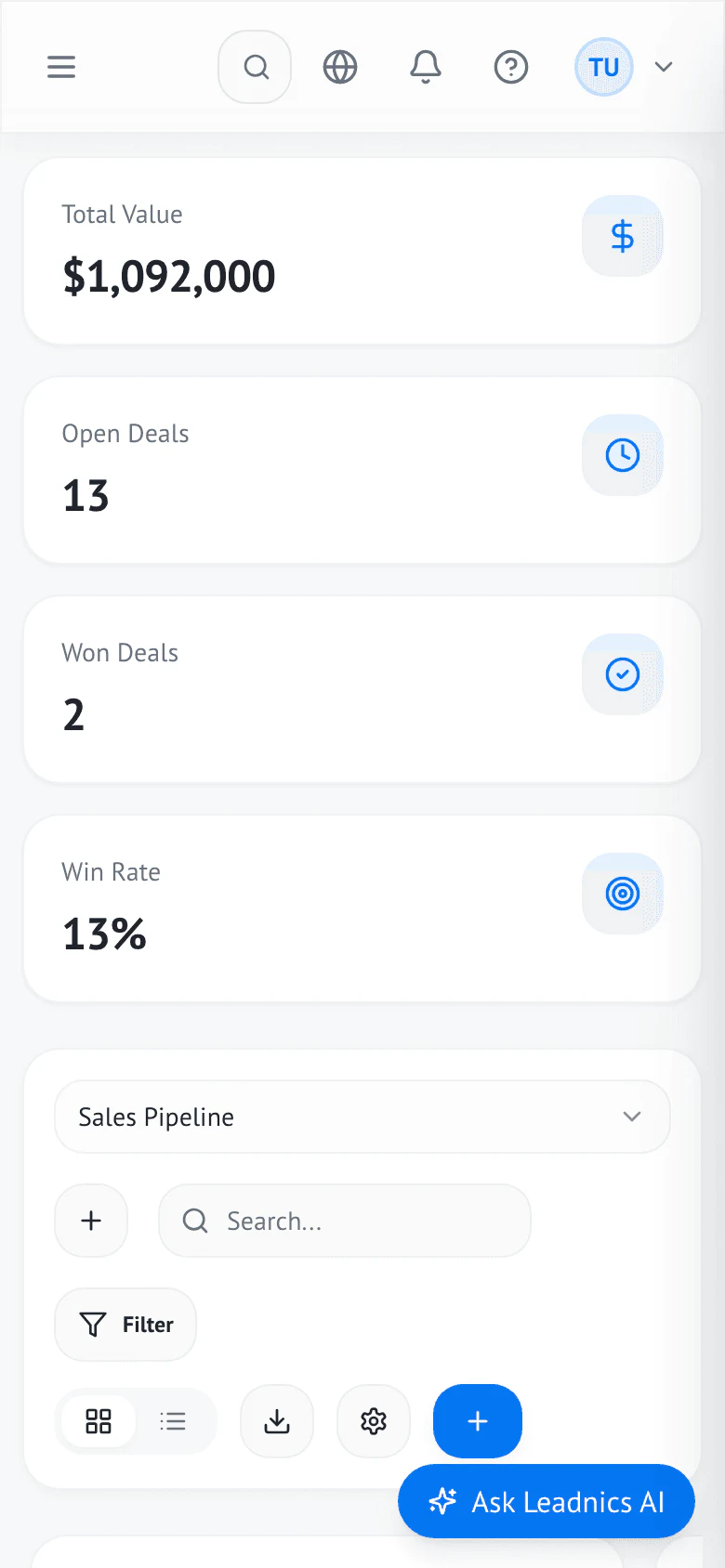
$1.09M tracked · 13 open deals
Visual pipeline
Drag stages, weighted forecast, owner attribution — auto-routed from every scan.
OCR + auto-enrichment runs before you put the phone down.
Sequences fire by booth tag the moment a contact is saved.
Walk off the floor with deals already in the pipeline.
Reps stop missing the warm leads they captured Friday.
Every lead you meet in person, in your pipeline the same day.
The contact you just scanned is already enriched, scored, and sitting in the right stage with a sequence running. Nobody typed a word of it.
A badge becomes a CRM contact in about ten seconds, even offline.
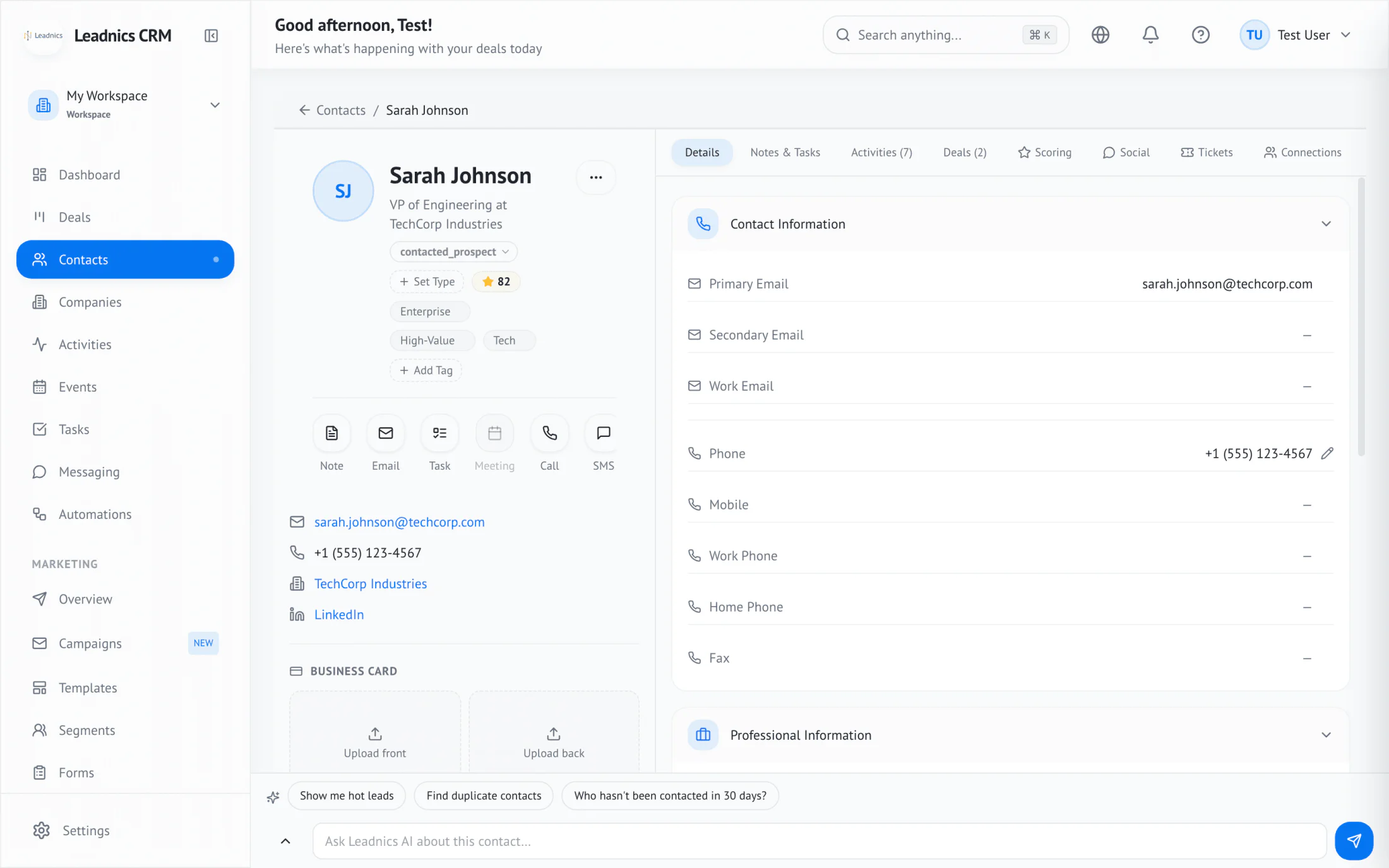
Company, role, and socials arrive before you move to the next conversation.
Routed to the right stage, owner, and sequence on its own.
“Last booth season we typed badges all of Sunday. This year, by the time we landed, 38 of our 84 leads were already in a sequence.”
A badge scan becomes a scored, routed contact in about ten seconds.
Sequences start from the booth tag within minutes of capture.
Pipeline updated before your flight has landed.
The whole journey lives in one workspace, and the pipeline number climbs with every show you work.
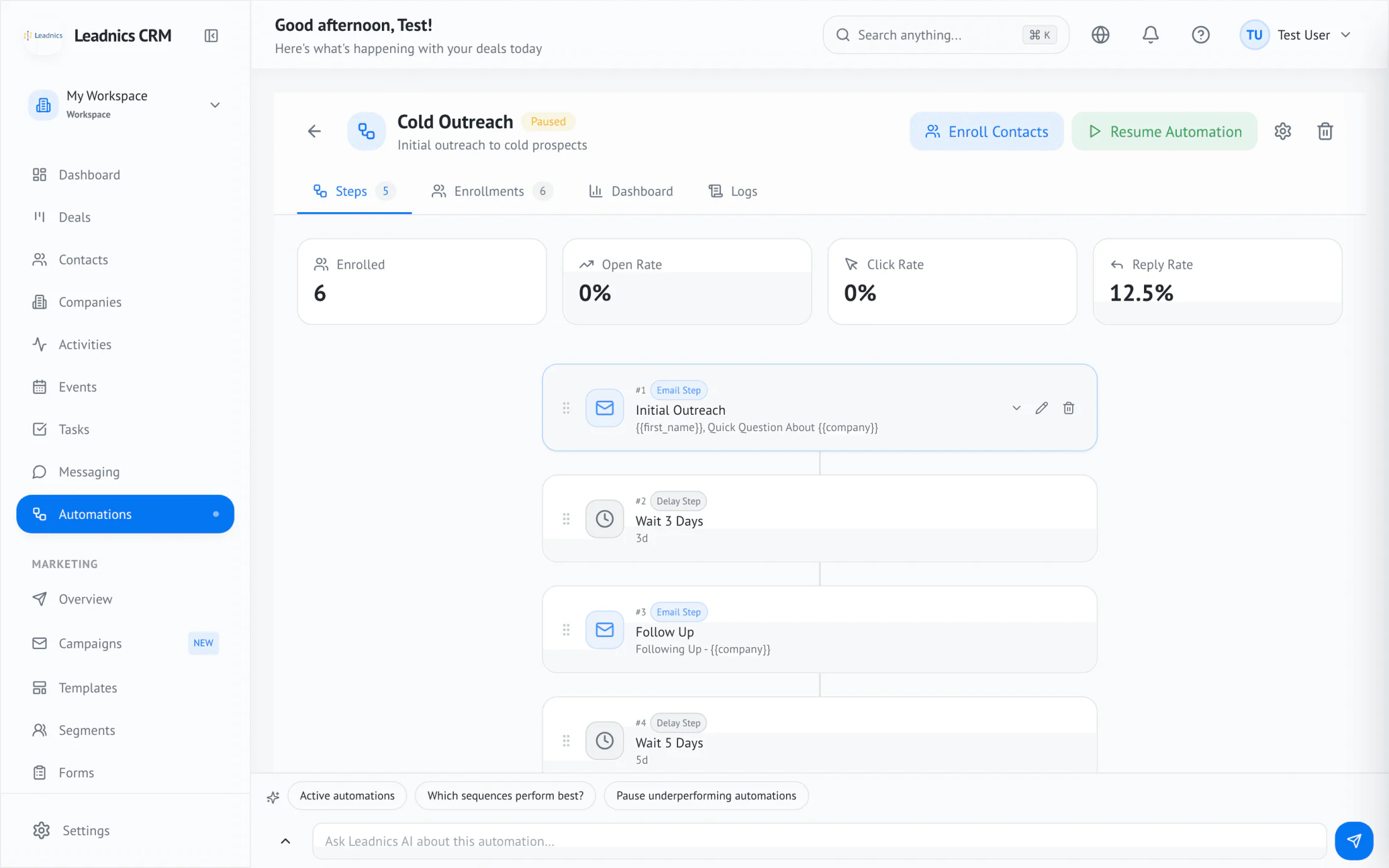
Real screens from a workspace fed by event captures. The numbers below — pipeline value, reply rate, win rate — are pulled from the same workspace the screenshots above came from.
Drag stages, weighted forecast, owner attribution — auto-routed from every scan.
Cold Outreach: 5 steps, 8 enrolled, branches on opens and replies.
235 fields, social enrichment, dedupe, lifecycle stages — automatic.
Revenue, conversion, deal aging — by team, rep, and segment.
Natural-language queries across deals, contacts, and activities.
Kanban-style support pipeline with SLA timers and auto-assignment.
Since you walked off the floor
0 leads
Yes
No
Capture every badge scan. Auto-sequence by booth interest.
See howHot leads scored and assigned by the time you leave.
See howReps capture on the road; ops sees the pipeline updated.
See howWalk-in capture, sequenced follow-up, no-show recovery.
See howThe Leadnics capture app turns a business card into a CRM contact, scored and routed, in two taps.


Book a demo. We'll show you the system running on your pipeline.